
Escape Challenge Templates for PowerPoint and Google Slides
Original price was: $19.00.$12.00Current price is: $12.00.
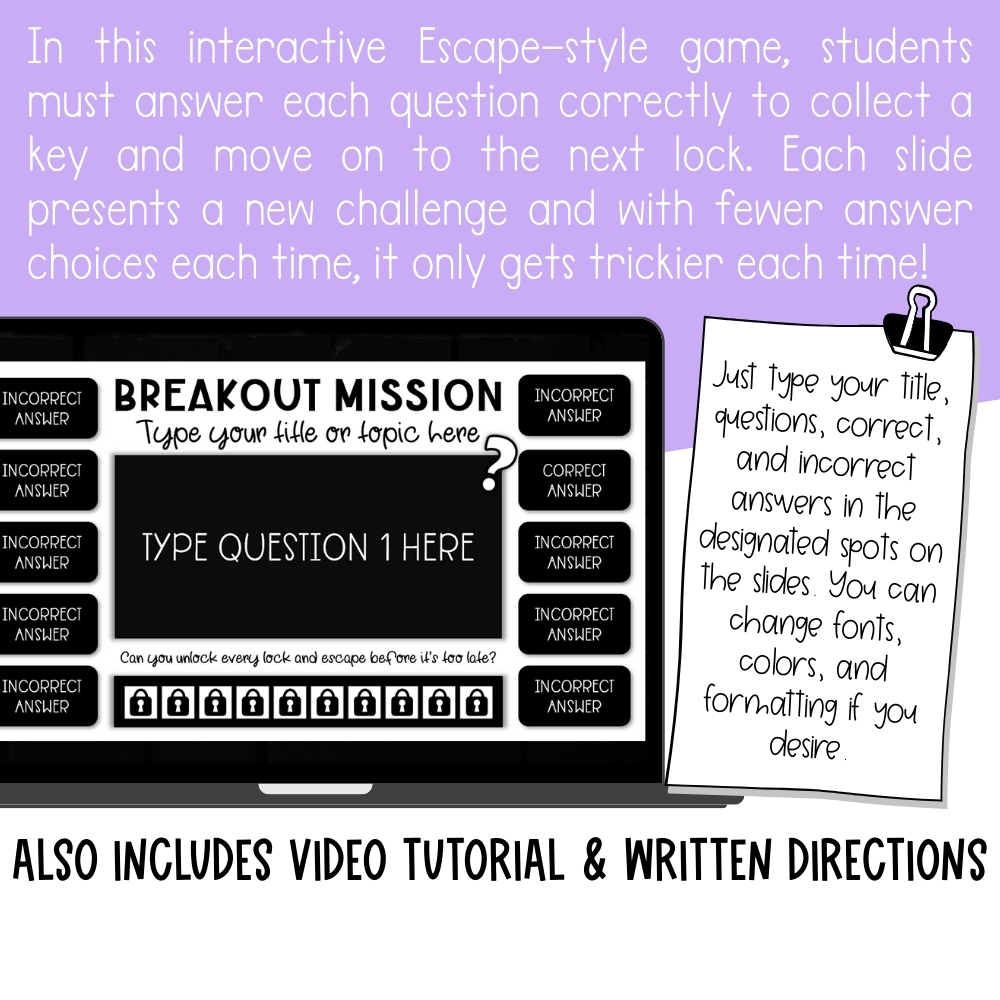
Bring the excitement of an escape room to your classroom with this interactive Escape Challenge Game!
✔ Students answer questions to collect keys & unlock locks
✔ Wrong answers disappear until they find the right one
✔ Each round gets trickier with fewer choices
✔ Works in PowerPoint and Google Slides
✔ Fully editable — add your own questions & answers
✔ Includes step-by-step video tutorial + written directions
🗝️Can your students unlock every lock before it’s too late?
Your students won’t just be answering questions… they’ll be on a mission to break out before time runs out! 🚪🔑
With this interactive Escape Challenge Template, students must answer questions correctly to collect keys and unlock each “lock” along the way. Each question gets trickier, and with fewer answer choices each time, the challenge builds until they’ve collected all the keys and finally escape.
How it Works:
-
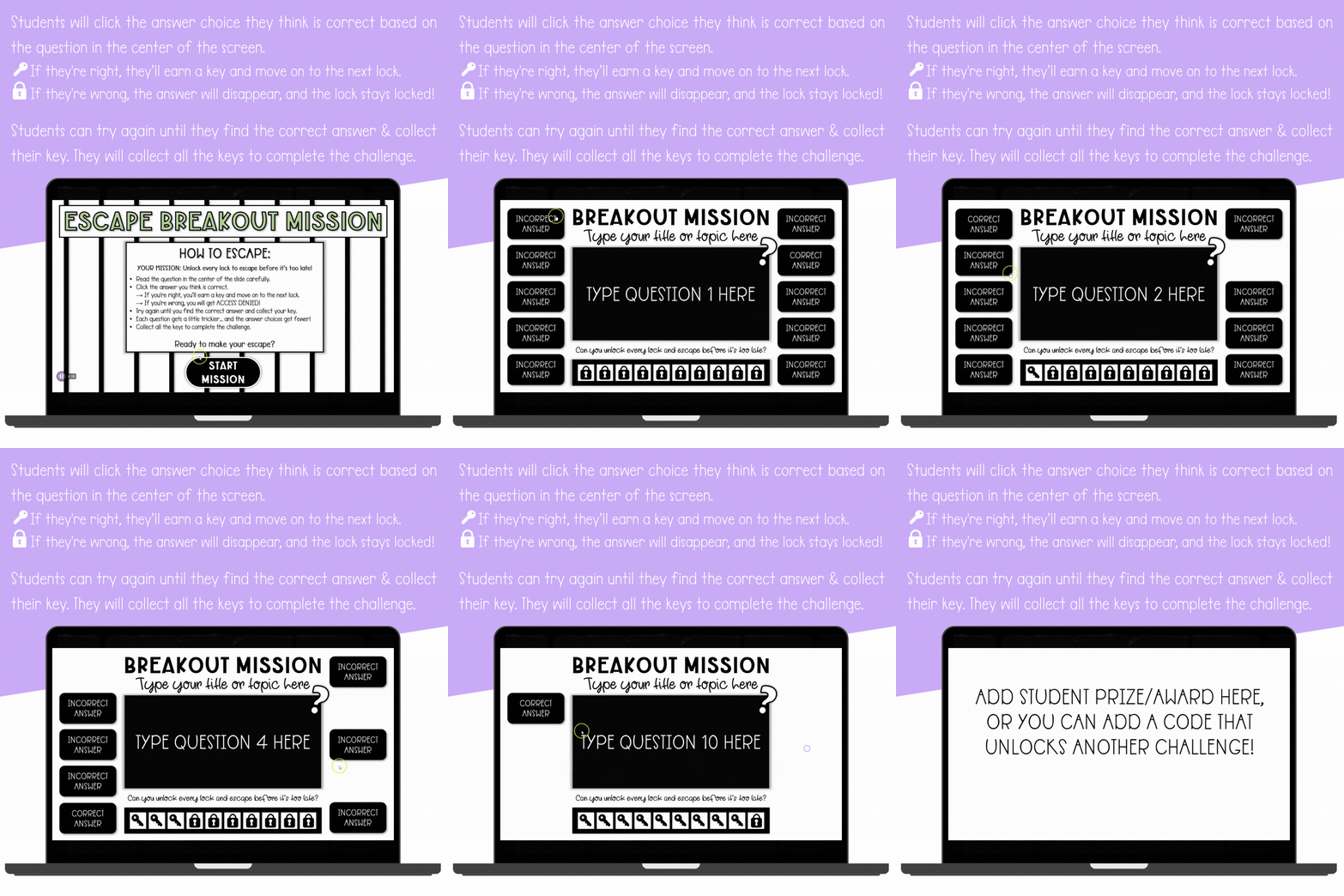
Students read the question in the center of the slide.
-
They click the answer choice they think is correct. If they’re right, they earn a key and move on. If they’re wrong, the lock stays closed.
-
Students keep trying until they unlock the correct answer and collect the key.
-
They continue answering until all the locks are opened and the final escape is complete!
There are 3 versions included that fully editable. 2 versions are for PowerPoint and 1 version is for Google Slides. You can add your own questions, correct/incorrect answers, and customize the fonts, colors, and layout to match your lesson theme or classroom vibe. It’s perfect for review days, test prep, or anytime you want to gamify learning with a little extra excitement.
To make setup quick and easy, the download includes a step-by-step video tutorial and written directions.
Why Teachers Love It:
✔ Escape-room style challenge students love
✔ Self-checking with instant feedback (locks stay closed until answered correctly!)
✔ Each round gets more challenging with fewer choices
✔ Works with PowerPoint + Google Slides
✔ Fully editable with your own content
✔ Includes video tutorial + written setup guide
📌These templates are for use with PowerPoint and Google Slides. The PowerPoint versions will not function correctly if opened using anything other than desktop-installed Microsoft PowerPoint.
What do I need to use these templates?
Three versions are included: 2 for PowerPoint and 1 for Google Slides. The PowerPoint versions will not function correctly if opened using anything other than desktop-installed Microsoft PowerPoint. The download includes a step-by-step video tutorial and written directions to make setup quick and easy.
Will this work on Chromebooks?
The Google Slides version works great on a Chromebook — students just need their Google account and a browser. The PowerPoint versions need desktop-installed Microsoft PowerPoint, so they will not run in a Chromebook browser.
Can I add my own questions?
Yes. All three versions are fully editable — add your own questions and correct/incorrect answers, and customize the fonts, colors, and layout to match your lesson theme or classroom vibe.
Can I use this with Google Classroom or while screen-sharing on Zoom?
Yes. Share the files with your students through Google Classroom, or share your screen on Zoom and escape together as a class.
Am I allowed to sell resources I make with these templates?
Yes, with a couple of kind requests. The terms of use allow you to create and sell your own resources using the templates, as long as they include an educational component and are not sold in the same format the templates are sold in. The templates themselves may not be resold or claimed as your own. Your purchase is for your individual use, and please include the logos on your credit page.
Only logged in customers who have purchased this product may leave a review.

 Four in a Row Template for Google Sheets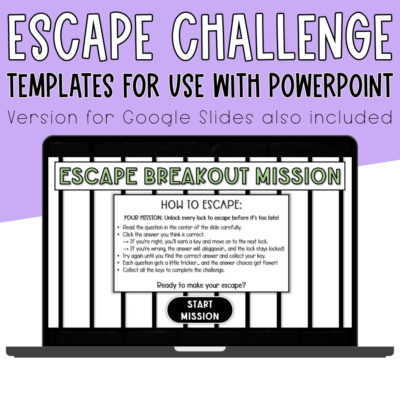
Reviews
There are no reviews yet.