
Four in a Row Template for PowerPoint
Original price was: $19.00.$12.00Current price is: $12.00.
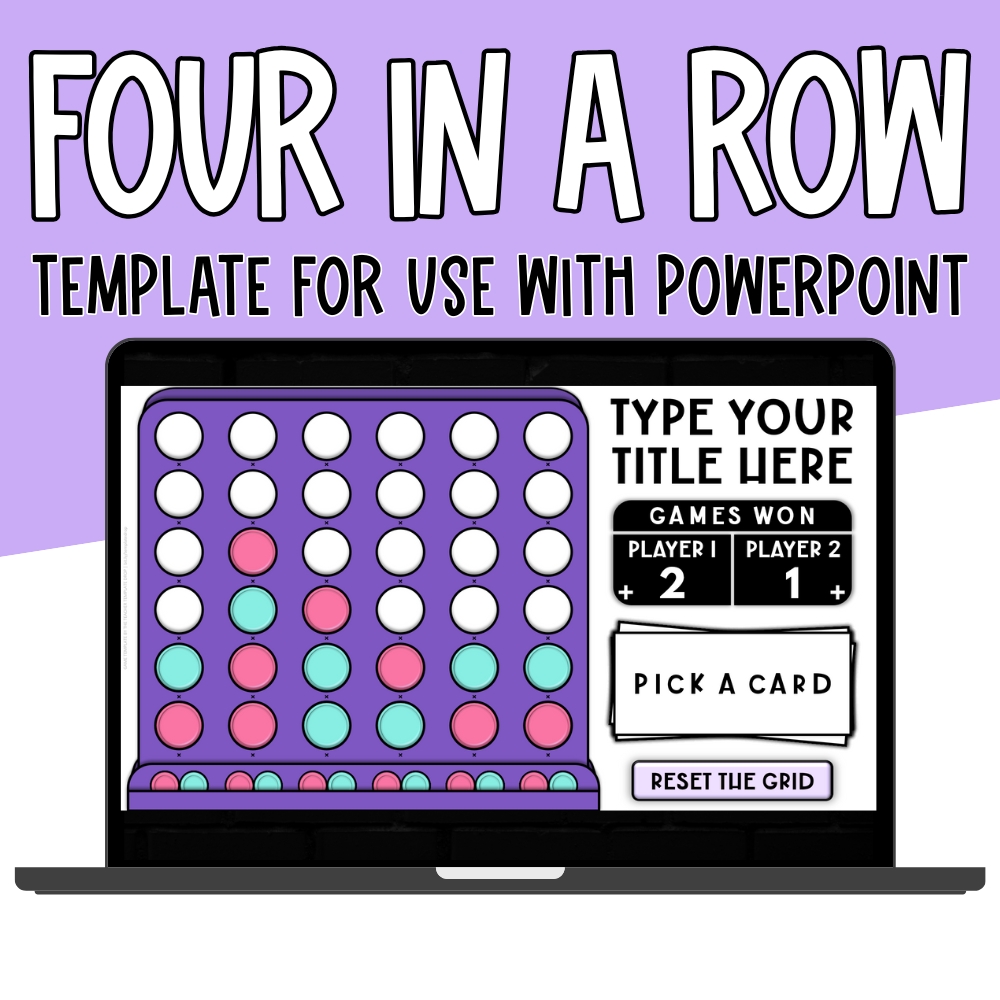
Make learning competitive with this fun, self-checking Four in a Row PowerPoint Template! Students answer questions, drop their pieces onto the grid, and race to connect four in a row. Fully customizable and perfect for any subject, grade level, or classroom setup.
_____________________
All templates are $7 for the first 48 hours saving you $12 per template (because who doesn’t love a teacher-friendly discount?!).
Want more than one? We’ve got you… you can bundle and save even more!
- Grab 2 templates and get 10% off your total
- Add 3 templates to your cart + unlock 20% off
- Go big with all 4 templates and score a massive 30% off your bundle
No coupon needed… your savings will be applied automatically at checkout!
Bring Strategy and Fun to Any Lesson with Four in a Row!
Get ready to turn your review time into an exciting classroom competition! With this interactive Four in a Row PowerPoint Template, students answer questions, drop animated pieces onto the grid, and race to connect four in a row. It’s a fast-paced, fully editable game that transforms ordinary practice into a strategy-filled challenge your students will beg to play again and again.
How It Works:
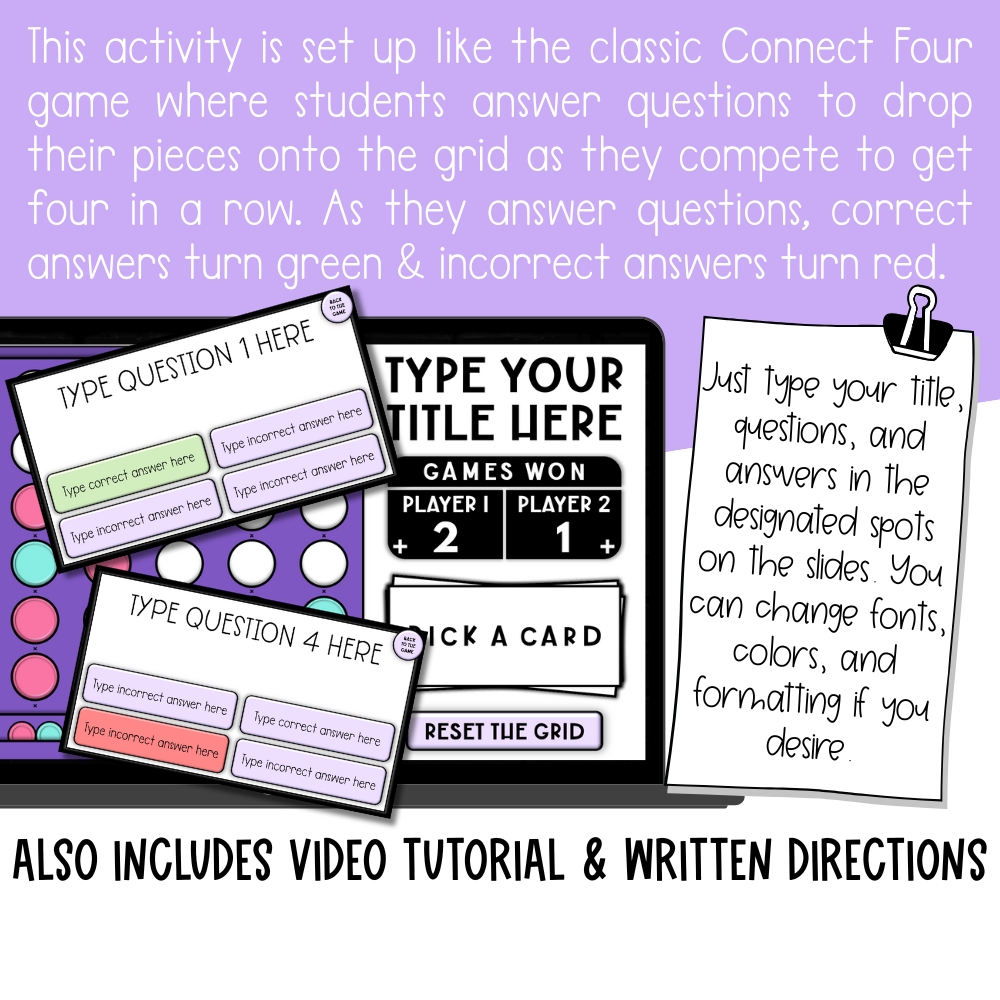
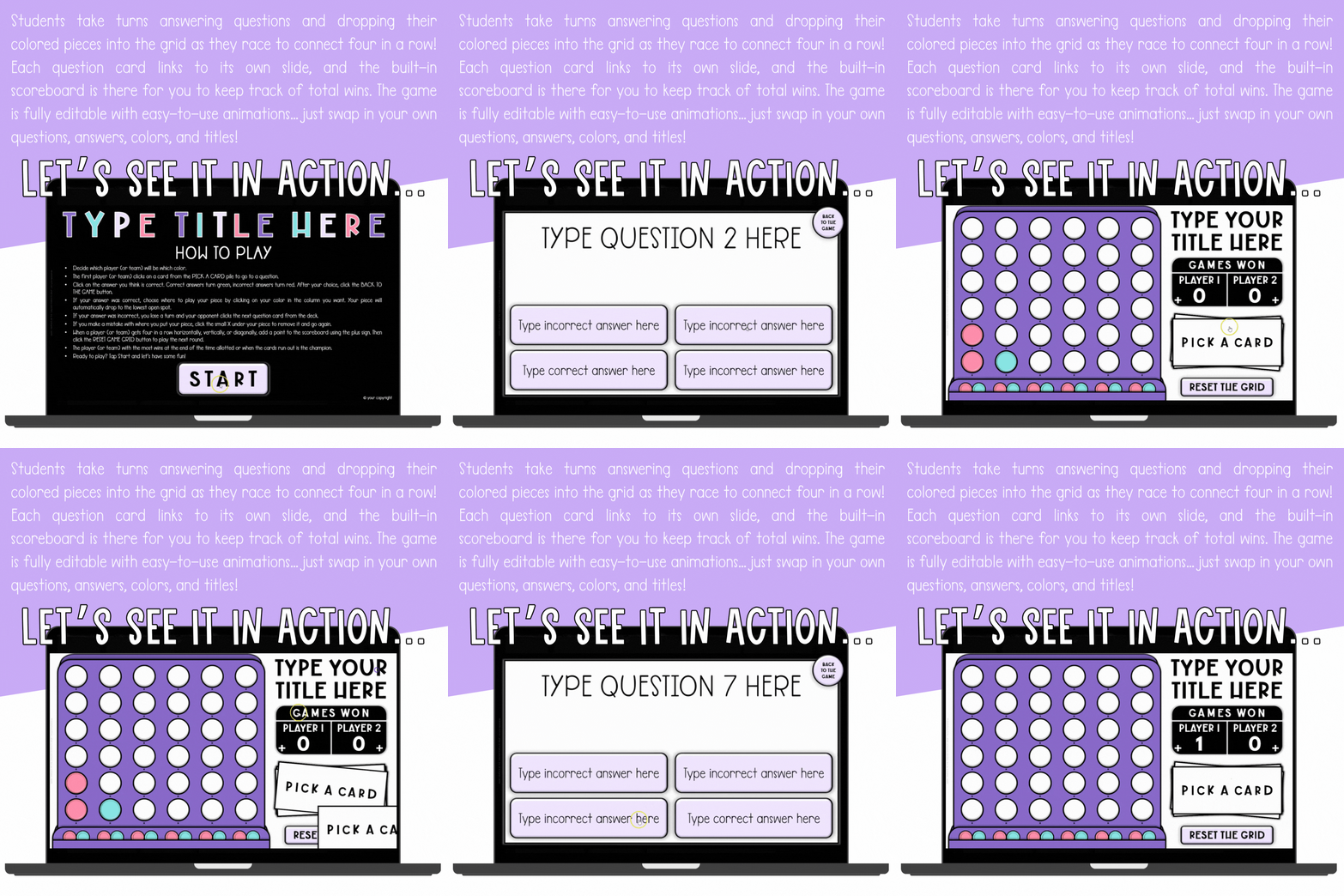
Students begin on the main game board filled with clickable question cards. Each card links to its own question slide. They will get instant feedback on the questions because correct answers turn green and incorrect answers turn red. After they answer, they return to the main board to place their piece on the grid.
The student (or team) whose turn it is will click one of the small colored pieces at the bottom of the grid in the column where they want to play. The piece will automatically “drop” to the lowest open spot in that column. Players take turns answering and placing pieces until one player connects four in a row horizontally, vertically, or diagonally.
When a player wins, they’ll add a point to the built-in scoreboard, reset the grid, and start the next round. The game continues until time runs out or all questions have been answered… perfect for test prep, skill review, or early-finisher fun!
This template is fully customizable… Add your own questions, change player names and colors, and customize the design to fit your classroom theme or subject area. It really is perfect for any grade or subject… this game keeps students engaged and eager to learn!
Why Teachers Love It:
✔ Turns lessons or review into a fun, strategic classroom game
✔ Works for any subject area or grade level
✔ Includes built-in scoreboard and reset button for easy multi-round play
✔ Fully editable — customize questions, player names, and colors
✔ Simple design that runs smoothly in PowerPoint
📌IMPORTANT NOTE: This template is for use with PowerPoint (Mac or PC) and is not compatible with Google Slides or PowerPoint Online. The template will not function correctly if opened using anything other than desktop-installed Microsoft PowerPoint.
If you want to check out the Google Sheets version, CLICK HERE.

What do I need to use this template?
You will need Microsoft PowerPoint installed on your computer (Mac or PC). This is a Macro-Enabled PowerPoint Show (.ppsx) built for smooth, interactive gameplay, so please have PowerPoint installed before downloading.
Will this work on Chromebooks?
Not on its own. The template requires desktop-installed Microsoft PowerPoint and will not function correctly in PowerPoint Online or a browser, so it will not run in a Chromebook browser.
Does this work with Google Slides?
No — this PowerPoint template is not compatible with Google Slides. If you would like the Google Sheets version instead, you can find it linked in the description above.
Can I add my own questions?
Absolutely. This template is fully customizable — add your own questions, change the player names and colors, and tailor the design to your classroom theme or subject area.
Can I use this with Google Classroom or while screen-sharing on Zoom?
Yes. Share the file with your students through Google Classroom, or share your screen on Zoom and play it together as a class.
Am I allowed to sell resources I make with this template?
Yes, with a couple of kind requests. The terms of use allow you to create and sell your own resources using the template, as long as they include an educational component and are not sold in the same format the templates are sold in. The templates themselves may not be resold or claimed as your own. Your purchase is for your individual use, and please include the logos on your credit page.
Only logged in customers who have purchased this product may leave a review.


 Game Show Style Template for Google Sheets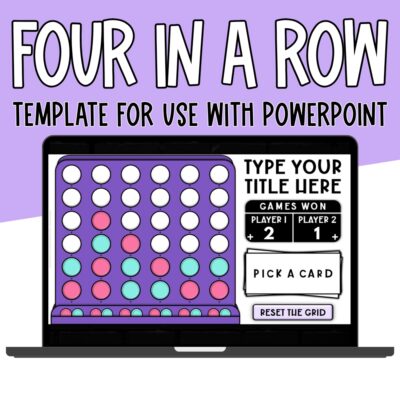
Reviews
There are no reviews yet.