
CLASSROOM GAMES
Game Show Style: A Jeopardy-Style Classroom Game Template
Every teacher knows this review game. Five topics across a board, point values climbing down each column, teams arguing (lovingly) about who answered first. It’s the Jeopardy-style format, and students need about zero seconds to learn it because they have been watching some version of it their entire lives.
The problem has never been the game. The problem is the build. Teachers either rebuild a board from scratch for every unit or download a free one and spend Sunday night repairing broken links and keeping score on the whiteboard because the board itself can’t.
Meet the Game Show Style game template: a pre-built, fully editable version of that board from the Template Drop. You type in your topics, your questions, and your answers. The board, the team scoreboard, and the host controls are already built. You bring the questions and your best game-show host voice.
One honest note before the details: this is a hosted game. Teams answer out loud, in front of everyone, while you run the board and reveal the answers. Nobody plays this one alone at a desk. You’re the host, and honestly, that’s where the energy comes from.
Here’s how a round plays out, and how to choose between the Google Sheets and PowerPoint versions.
What Is the Game Show Style Game Template?
The Game Show Style game template is a Jeopardy-style review game built for whole-class play. The board has five topics across the top and five questions under each topic, worth 100, 200, 300, 400, and 500 points. Teams take turns choosing a tile, answer out loud, and score the points on the tile when they’re right. The team with the most points when every tile has been played wins. Game Show Style is teacher-hosted: you run the board, teams answer out loud, and you reveal the answers. Game Show Style is $19, and currently on sale for $12.
The template comes in two versions, Google Sheets and PowerPoint, and the game itself is the same in both: same board, same scoreboard (it holds up to 10 teams), same rules. What differs is the machinery behind the hosting, and that gets its own section below.
Everything on the board is yours to edit: the title, the five topics, the questions, the answers, even the fonts and colors. Load it up with next week’s unit and it looks like you built it for that unit, because you did.
How to Play: The 60-Second Explanation
Here’s your script for Monday morning:
- Split into teams. Up to 10. Let them pick their own names; the team-name debate is free classroom management.
- Open the board. Five topics, five questions each, point values from 100 to 500.
- A team picks a tile. “Science for 400.” You read the question out loud to the room.
- They answer out loud. You reveal the correct answer, and the points go up on the scoreboard. (Half an answer does not count, no matter how confidently it was shouted.)
- Play until every tile is used. Most points at the end wins. Expect negotiations for a rematch before the bell.
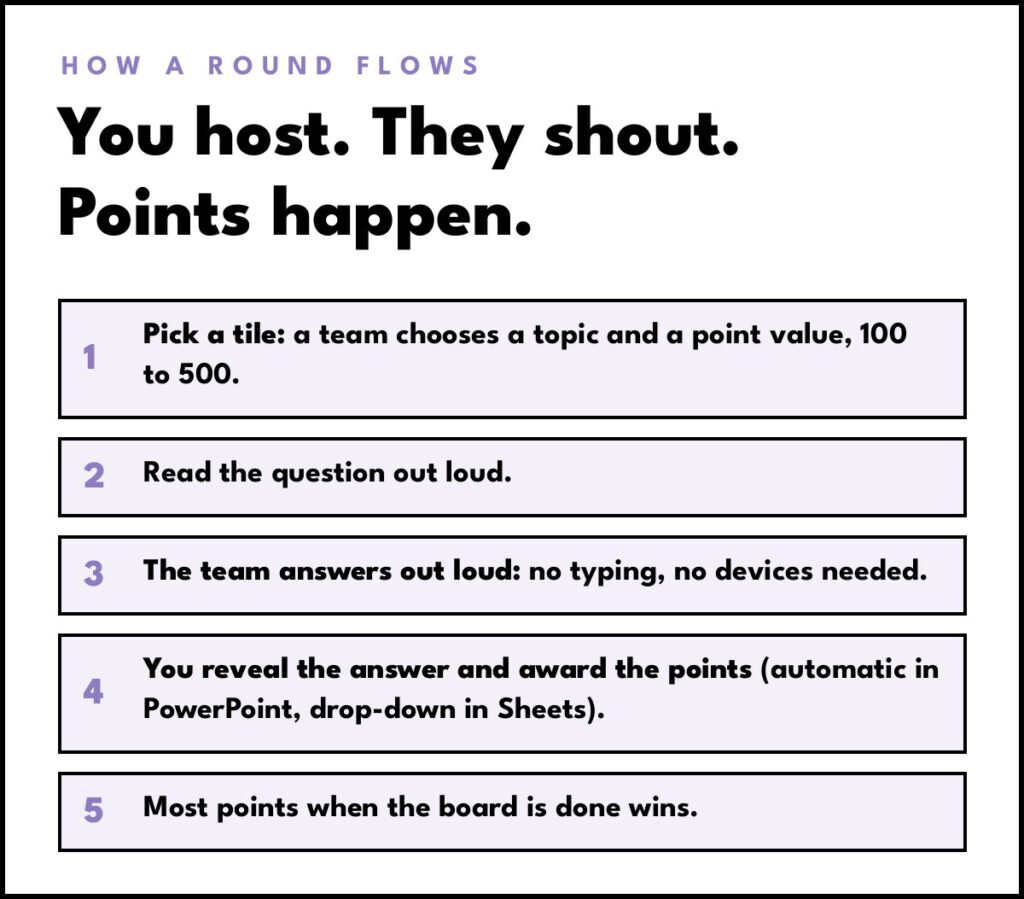
Explaining all of that takes about ten seconds, because your students arrived already knowing this game.
One Game, Two Versions: Google Sheets and PowerPoint
Both versions play the same board: five topics, five questions under each, worth 100 to 500 points. The Sheets version runs in the browser, and the PowerPoint version runs on your computer with a scoreboard that updates on its own.
Game Show Style lives in the Template Drop in two versions, one for Google Sheets and one for PowerPoint. The rules, the board, and the scoreboard are the same game in both. What changes is the machinery: how you reveal answers, how points get awarded, and what the game runs on. Pick the version that matches your classroom tech.
The Google Sheets version runs in your browser. You need a Google account, and that’s the whole tech list. Type your team names (up to 10) on the scoreboard, open the board, and host: a click on a linked point value opens each question, the team answers out loud, and a checkbox click reveals the correct answer. Then a drop-down menu lets you award the points to the team that earned them, to a different team that stole the answer, or to nobody at all. That flexibility is this version’s best trick, especially in classes where a steal rule keeps every team listening to every question. Because it lives in a browser, it runs beautifully on Chromebooks, and you can share the link through Google Classroom so students follow the board on their own devices. It’s built for Google Sheets only, so it will not run in Microsoft Excel.

The PowerPoint version runs the same game from desktop PowerPoint on a PC or a Mac. The file is a macro-enabled PowerPoint show (.ppsx), and desktop PowerPoint needs to be installed before you download it. You choose your teams (2 to 10), click “Let’s Play,” and host from the main board. Teams pick their tiles, answer out loud, and the scoreboard updates automatically when they get one right. Used tiles disappear from the board, so the whole class can see exactly what’s left. The game runs entirely from your computer, with no internet connection and no accounts for students to log into, which makes it the natural pick for one teacher computer and a projector. It will not run on Chromebooks, in a browser, or in Google Slides.

So which one belongs in your classroom? Chromebook school running on Google everything: take the Sheets version. One teacher computer, a projector, and a Microsoft building: take the PowerPoint version. And if your room could go either way on a given day, both versions are sitting right there in the Drop.
Why Students Go Absolutely Feral (Affectionate) for It
- Zero learning curve. Your students have watched this format their whole lives. There’s no ten-minute rules explanation eating your review day; you say “pick a tile” and the game is already moving.
- Every team stays in it. A 500-point tile late in the game can erase a lead in one answer. Teams that are behind stay loud because a comeback is genuinely one good tile away.
- The scoreboard is public. Points on a worksheet are private. Points on a board in front of the whole class are stakes. Watching the gap between first and second place close 100 points at a time does the motivating for you.
- The end of the board gets loud. As the unplayed tiles dwindle, every pick matters more, and the last questions land with real game-show energy. The bell usually interrupts a rematch negotiation.
- They ask for it by name. This is the review format students request again, out loud, unprompted. A review game your class asks for is one you never have to sell them on.
Points on a board in front of the whole class are stakes.
Ways to Use It in Your Classroom
- Unit review days and test prep. The classic, and still the best use. Load the unit’s big ideas across five topics and let the 400s and 500s carry the hard questions.
- Vocabulary showdowns. Clues and definitions on the board, terms as the answers. ELA and world language teachers, this one’s for you.
- Week-long tournaments. Run a fresh board each round and keep the running team totals on the whiteboard. By Friday, the championship round has an audience.
- Spiral review. Mix topics from the last few units onto one board and old material gets reviewed without a dedicated catch-up day.
- Fun-day trivia. Day before a break? Swap the curriculum for trivia, pop culture, and questions about your own classroom lore. Same board, same noise, nothing to assess.
- Remote review days. Screen-share either version over Zoom and host as usual. With the Sheets version, you can also send the link and let students follow the board on their own screens.
What’s Inside the Template
The game show style game template includes everything you need to host on day one:
- The complete game board: five topics, five questions under each, point values from 100 to 500, built and ready to play. No design skills required on your end.
- A built-in team scoreboard: up to 10 teams, with names and scores tracked inside the game itself.
- Your topics, your questions: type in your categories, questions, and answers once, then swap them for every unit. The title, fonts, and colors are editable too.
- Your choice of format: Google Sheets in the browser or PowerPoint on the desktop. Same game, same board; your classroom’s tech makes the call.
- Video tutorial and written directions: both versions walk you through setup step by step.
- Unlimited replay: new questions, same board. Use it all year, in every subject you teach.
Frequently Asked Questions
Is this the same as a Jeopardy game?
It plays exactly the way you’re picturing: five topics on a board, questions worth 100 to 500 points, teams answering out loud, a scoreboard keeping track. This template is called Game Show Style, and it’s my editable version of that Jeopardy-style format. If your students know the show, they already know this game.
Is it Google Sheets, PowerPoint, or Google Slides?
Google Sheets or PowerPoint. There is no Google Slides version, and that’s worth explaining: most Slides game boards can’t keep score, and their own listings tell you to track points on the whiteboard instead. The Sheets version here has a full scoreboard built in, team names and all. It’s also built for Sheets only, so it will not run in Microsoft Excel.
Does it work on Chromebooks?
The Google Sheets version does. Chromebooks and Google Sheets are a perfect match, and the game runs right in the browser. The PowerPoint version does not run on Chromebooks; it needs the desktop PowerPoint app on a PC or a Mac.
What do I need to run it?
For the Sheets version, a Google account and a browser. For the PowerPoint version, Microsoft PowerPoint installed on your computer. Install it before you download the game file, since the file is a macro-enabled PowerPoint show that only the desktop app can run.
How many teams can play?
Up to 10, in either version. The PowerPoint version has you pick a number between 2 and 10 teams when you set up. In the Sheets version, you type up to 10 team names directly onto the scoreboard.
Is there a Final Jeopardy round or Daily Doubles?
No. Neither version has a Final Jeopardy round or Daily Doubles. The board is the whole game: five topics, five questions each, and the team with the most points when every tile has been played wins.
How does scoring work?
PowerPoint keeps score for you: the built-in scoreboard updates automatically when a team answers correctly. Sheets keeps you in charge: after you reveal the answer with the checkbox, a drop-down menu assigns the points to whichever team earned them, to a team that stole the answer, or to no team at all.
Can I add my own questions and categories?
That’s the whole idea. Type your own topics, questions, and answers into the board, and redo them for every unit. The title, fonts, and colors are all editable, so the game can look different every time too.
Can students play on their own devices?
With the Sheets version, yes. Post the share link in Google Classroom and students can open the game on their own devices while you host. The PowerPoint version is built for whole-class play from your computer, with the board up on the projector.
Can I use it for remote learning?
Yes. Screen-share either version on Zoom and host the game exactly the way you would in your classroom. The Sheets version also works as a shared link, so students can open the board on their own screens during a remote day.
Am I allowed to sell resources I make with this template?
Yes, with a few terms. Resources you create with the template need an educational component, they can’t be resold as a game template in the same format, and the credit page logos stay in place. The product page has the full terms.
How much does Game Show Style cost?
Game Show Style is $19, currently on sale for $12. That covers one version, Google Sheets or PowerPoint, whichever fits your classroom setup.
Get the Game Show Style Template
The board your students already know how to play is ready when you are. Grab my Game Show Style template for PowerPoint for the automatic scoreboard, or the Google Sheets version for Chromebook-friendly hosting. Both are in the Template Drop, next to the other game formats.
Your students already know the rules. You just bring the questions.